
Every shoot,
organised.
Enquiries, bookings, your crew, contracts and photo delivery in one calm place, on your phone and your computer. Built for studios that shoot as a team.
No card needed · Free for your crew · Cancel any time
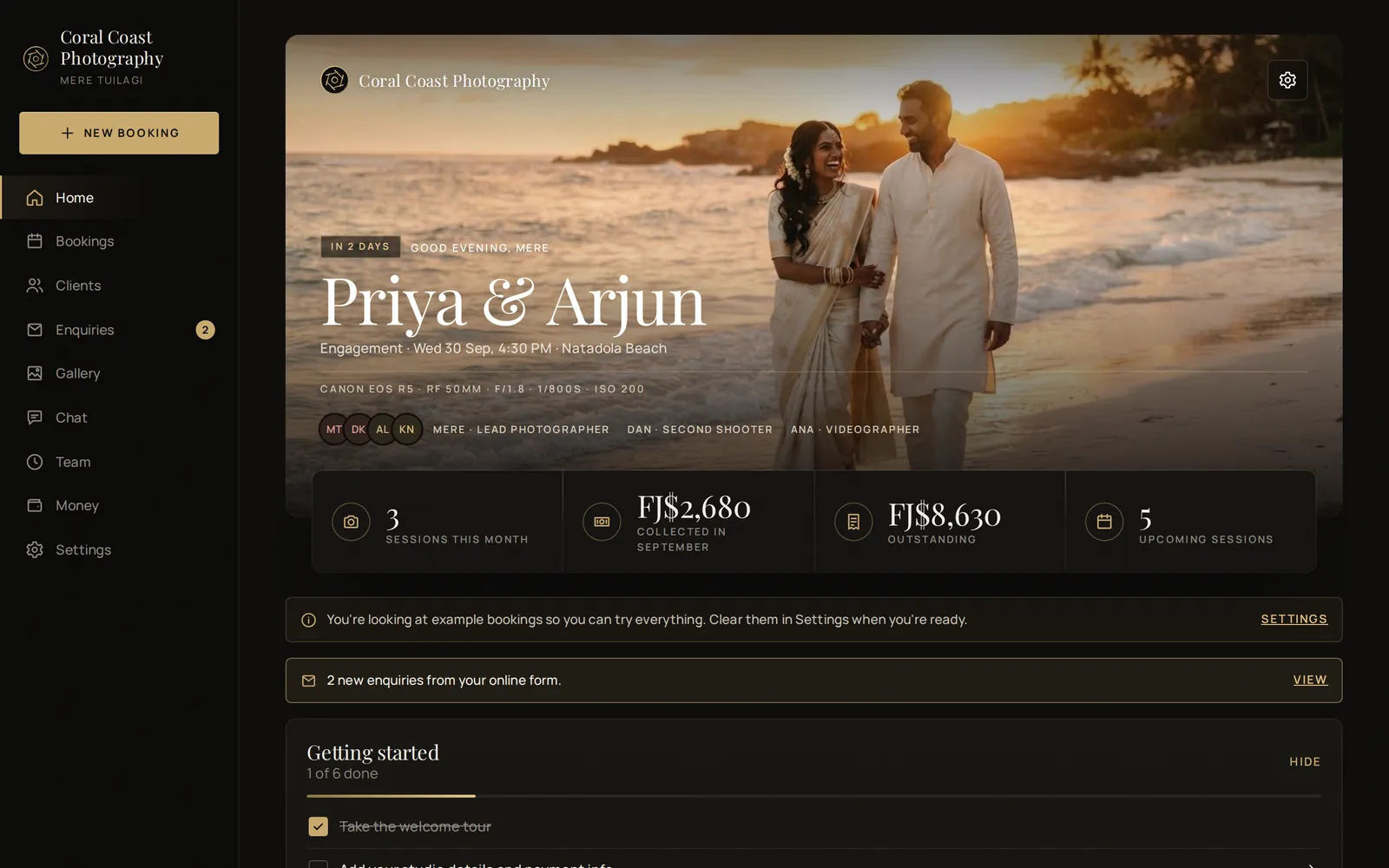
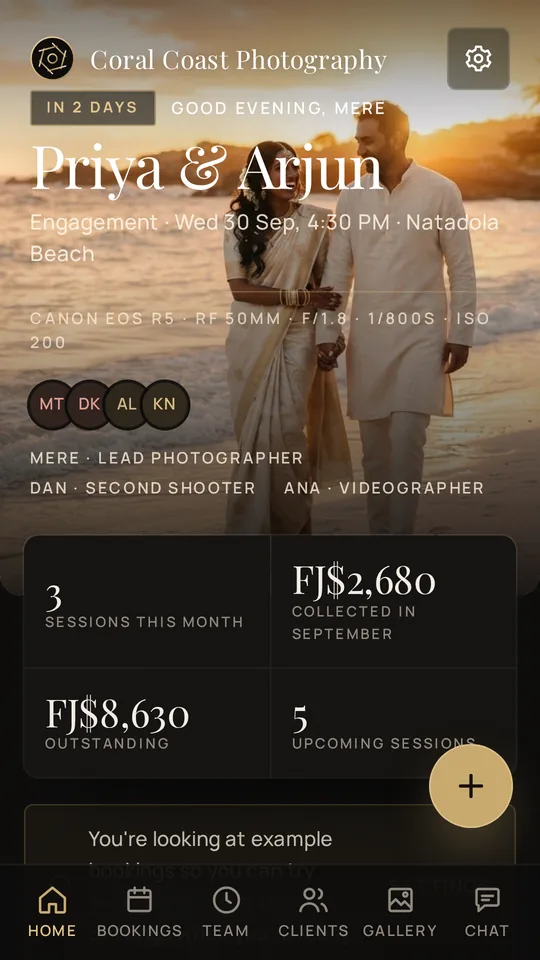
From the first message to the final gallery.
- 01
They enquire
Share your enquiry form on Instagram, Facebook or WhatsApp. New enquiries arrive with a notification, and one tap turns them into a booking.
- 02
You book & brief
Pick the date, put your crew on the shoot with their roles and directions, and send your client their private page to sign the agreement.
- 03
Shoot & deliver
Everyone ticks off the shot list on the day. Then paste your gallery link and your client gets a beautiful page to download their photos.
Put the right people on every shoot.
Lead photographer, second shooter, videographer, drone, assistant. Give each person their role and their own directions, and keep every job's conversation in its own crew chat.
- Free crew accounts. Assistants only see the shoots they're on, never your clients' details or prices.
- Team schedule shows who's where each week and warns you before you double-book anyone.
- Alarms the day before and hours before every shoot, on every device.
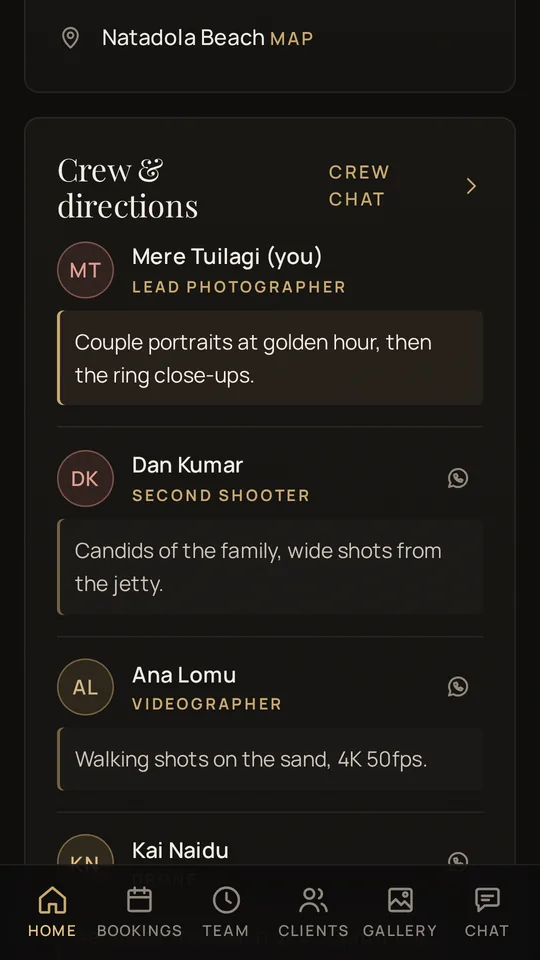
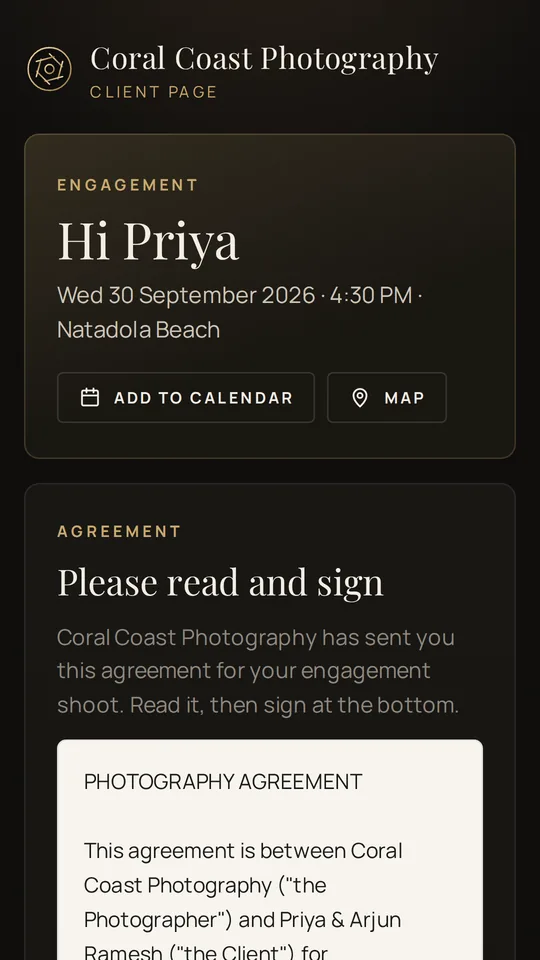
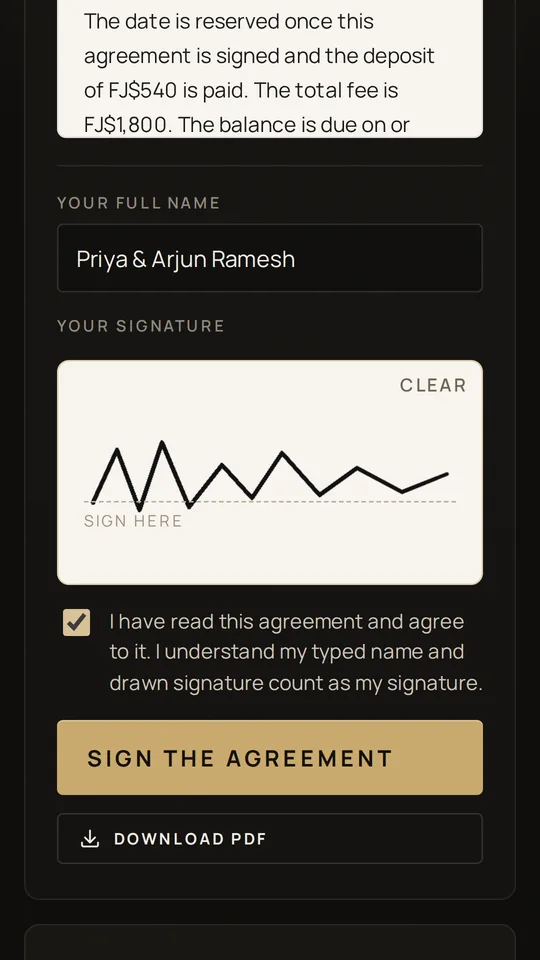
Contracts signed on their phone.
Every booking gets a private client page you send on WhatsApp. No download, no account, just a link.
- Agreements with e-signature. Your contract fills in names, dates and prices by itself. Clients sign with their finger, and you both get a signed PDF.
- Questionnaire. Timeline, key family members and must-have shots, answered before the day.
- What's owing. Total, deposit, balance and how to pay, always up to date.
Never lose an enquiry. Deliver like a pro.
Your enquiry form collects the date, place, budget and details, straight into your inbox in the app. When the photos are ready, paste your Google Drive, Dropbox or gallery link, and your client gets an elegant download page. Your photos stay in your own storage.
How photo delivery works →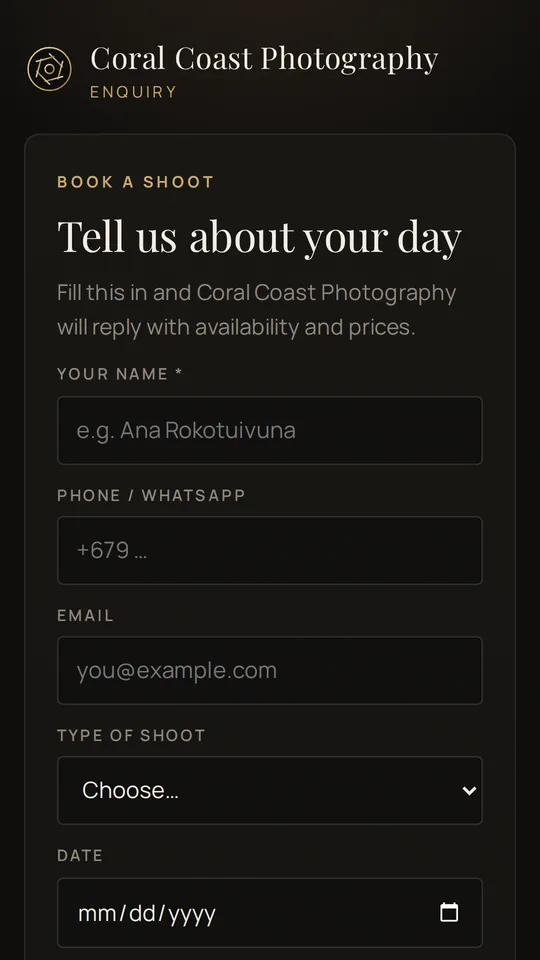
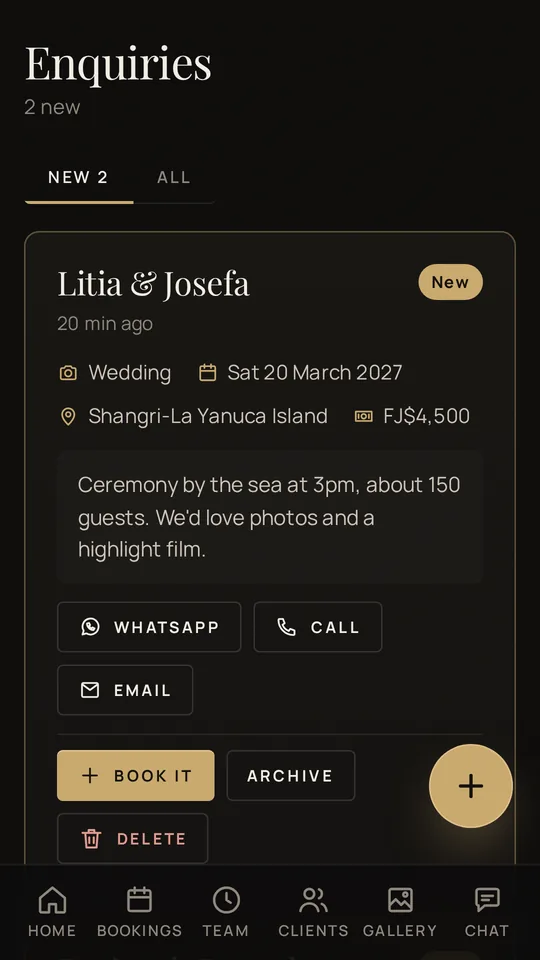
One app instead of six.
Stop juggling notebooks, spreadsheets, WhatsApp groups and PDF tools.
Bookings & calendar
Colour-coded by shoot type, from tentative to delivered.
Shot lists
Ready-made lists for weddings, portraits and families.
Invoices & receipts
Deposits, balances and polished PDFs, or share to WhatsApp.
Money at a glance
What's collected this month and who still owes you.
Team chat
Studio chat plus a private chat for every job's crew.
Alarms & alerts
Shoot reminders, new enquiries, signatures and messages.
Sneak peeks
Favourite frames with each shoot, and a cover for your calendar.
Works everywhere
Android, Windows, Mac and any browser, always in sync.
Built by a working photographer, for studios that shoot weddings, events and families with a team.
One plan. Everything included.
- 30-day free trial, no card needed
- Unlimited bookings, clients and crew
- Free crew accounts for assistants, second shooters and videographers
- Enquiry form, contracts with e-signature and photo delivery
- Invoices, receipts and WhatsApp sharing
- Android, Windows, Mac and web, always in sync
Secure payments by Paddle. Cancel any time.
On every device you own.
Install Shoot Organiser on your computer and phone. Sign in with the same account and everything stays in sync.
Windows
Open the download, drag the ShootOrganiser folder to your Documents or Desktop, and double-click ShootOrganiser. If Windows says "Windows protected your PC", click More info → Run anyway.
Mac
Double-click the download and drag ShootOrganiser into Applications. The first time, right-click it and choose Open. Not sure which Mac you have? Apple menu → About This Mac: "Apple M…" means Apple silicon.
Phone & tablet
On Android, tap Download for Android, open the file and allow the install. On iPhone, open the app in Safari and tap Share → Add to Home Screen.
Good to know
What is Shoot Organiser?
Shoot Organiser is studio management software for photographers. It keeps your enquiries, bookings, crew, shot lists, contracts, invoices and photo delivery in one place, on Android, Windows, Mac and the web.
Do my clients need to download anything?
No. Clients use your enquiry form and their own private client page from a link, on any phone or computer. They can sign your agreement, answer your questions, see what they owe and download their photos, with no app or account.
Do my assistants and second shooters have to pay?
No. Crew accounts are free forever and only the studio pays. Crew see just the shoots you put them on, with their role, your directions, the shot list and a private crew chat. They can work with several studios from one free account.
Can my crew see my prices or clients?
No. Crew only see the shoots they're assigned to, and never see client contact details, prices, invoices or payments.
Where are my clients' photos stored?
In your own Google Drive, Dropbox, OneDrive or gallery service. Shoot Organiser gives your client a beautiful page with your download link, so you never pay twice for storage.
Are the e-signatures legally valid?
Clients type their full name, draw their signature and tick to agree, and the time and device are recorded on the signed PDF. Electronic signatures are recognised in many countries, including Fiji, but laws differ, so have a local lawyer check your agreement template once.
What happens after the free trial?
Every new studio gets 30 days free with no card needed. After that you can subscribe any time. If you don't, your studio is kept safe but paused until you do.
How do I cancel?
Every receipt from Paddle, our payment partner, has a link to manage or cancel your subscription. You can also email rahulsadiq143@gmail.com.
Your next shoot, organised.
Try everything free for 30 days. No card needed.